“This goes neatly to the theory that information does not, in fact, want to be free; information wants to be about $5.”
— David Dyer-BennetR.I.P Dr John,
New Orleans gave him a proper farewell:
Fun with software testing
Before I released PDF::Cairo, I gave it a basic test suite to make sure that everything at least loaded correctly. I wanted to fully exercise the various methods, but that wouldn’t tell me if they actually worked or not. I needed to put ink on the page, and then compare it with a reference page. Automatically, using tools likely to be available (or at least easily installed) on the target platforms. I decided to generate an N-page PDF with small pages, draw a single test per page, and convert the results to a series of PNG files; if they were byte-for-byte identical to the files generated from the reference PDF, the tests passed.
ImageMagick’s convert utility was out, even though I currently use
it to import non-PNG images into PDF::Cairo, because it can choose
between multiple PDF backends, and I didn’t want the added test
complexity. I considered Ghostscript, which I have a few decades of
practice with, but then I came across
Poppler’s pdftocairo utility. Not
only does it have the functionality I need, but it’s built on Cairo,
FreeType, and Fontconfig, the same libraries I’m generating the PDFs
with in the first place.
Here’s what it looks like:
my $pdf = PDF::Cairo->new(
    width => in(2),
    height => in(2),
    file => $OUT,
);
...
push(@test_desc, "bezier curves");
$pdf->move(10, 10);
$pdf->curve(20, 120, 40, 40, 140, 60);
$pdf->rel_curve(-10, 10, -40, 40, -100, -30);
$pdf->linedash([12, 4, 8], 2);
$pdf->linewidth(4);
$pdf->stroke;
$pdf->newpage;
...
$pdf->write;
...
SKIP: {
  my $tmp = `pdftocairo -v 2>&1` || '';
  skip("need poppler's pdftocairo to compare images")
    unless $tmp =~ /pdftocairo/;
  my $PDFTOCAIRO = "pdftocairo -png -r 200 -antialias gray";
  system("$PDFTOCAIRO t/02-cairo.pdf $TMP/ref");
  system("$PDFTOCAIRO $OUT $TMP/02");
  foreach my $i (1..@test_desc) {
    $i = sprintf("%02d", $i);
    my $test = "page $i: " . shift(@test_desc);
    subtest $test => sub {
      plan tests => 3;
      ok(-s "$TMP/ref-$i.png", "reference page non-empty?");
      ok(-s "$TMP/02-$i.png", "page non-empty?");
      ok(compare("$TMP/02-$i.png", "$TMP/ref-$i.png") == 0,
        "page matches reference?");
    }
  }
}
Works quite nicely on Mac and Linux, and the small page size speeds up the PNG conversion. To test text methods, I had to add a free TTF font from Google Fonts. I can’t really test the effect of Fontconfig font substitution, which also means that I can’t really test Pango font-handling; currently, the work-in-progress Pango tests only run if you install the fonts included in the tarball.
Naturally, the act of writing the tests smoked out half a dozen bugs, so once I had decent coverage of the main module, I pushed out a new release to Github and CPAN.
Dear Souji Okita,
This is a block. Not a great block, since it’s a little low, and too close to your head, but an incoming strike will at least hit the blade before it hits your head:

This is not a block. Honestly, you’re about five seconds away from re-enacting Ben Kenobi’s final scene in Star Wars:

Dear Apple QA,
I like to think that there’s someone out there to address this message to, but all signs point to “no”.
Let’s look at the intersection of several features:
- Quick Look, activated by pressing spacebar.
- “Display as Folder” view for the Downloads folder in the Dock.
- Keyboard event passthrough to the active application.
- Spacebar as “mark item completed” in Reminders.
- Auto-select next item.
Now, let’s suppose that I have recently downloaded some items to which quicklook can be applied, perhaps pictures of scantily clad young ladies. While the Reminders app is active and an item is selected, I click on the Downloads icon, bringing up thumbnail images of these downloads, which I wish to view more closely.
I do this by pressing the spacebar, once to preview an image, once to make it go away again. I repeat these keystrokes several times, examining several images. When I click the Downloads folder again, I am returned to the Reminders app, which is now empty, because I’ve just marked every single item as completed.
This behavior is not consistent between applications. It never happens with Terminal, sometimes happens with Safari, where it’s a minor nuisance, and always happens with Reminders, where it is destructive.
Bootstrapping...
# tdnf install perl
# cpan App::cpanminus
# tdnf install man-db man-pages gawk tar diffutils
# tdnf install make gcc binutils glibc-devel linux-api-headers ncurses-devel
# su - build
% curl http://ftp.gnu.org/gnu/emacs/emacs-26.2.tar.gz | tar xzf -
% cd emacs-26.2
% ./configure --without-all --without-x
% make
# cd ~build/emacs-26.2
# make install
# cat <<EOF > /root/.emacs
(setq-default initial-major-mode 'fundamental-mode)
(defun set-auto-mode (&optional foo) (interactive "p") (fundamental-mode))
(when (fboundp 'electric-indent-mode) (electric-indent-mode -1))
(global-set-key (kbd "TAB") 'self-insert-command)
(setq-default tab-width 4)
(setq-default enable-local-variables nil)
(setq-default inhibit-eol-conversion t)
(setq inhibit-startup-screen t)
(setq inhibit-splash-screen t)
(setq line-move-visual nil)
(setq transient-mark-mode nil)
(setq sentence-end-double-space nil)
(setq isearch-lax-whitespace nil)
(setq search-whitespace-regexp nil)
(put 'narrow-to-region 'disabled nil)
EOF
Okay, now I can start exploring Photon.
File under baffling the fact that there’s no Emacs RPM at all. Admittedly, even my “minimal” build adds 200MB to /usr/local/, but:
“When you don’t have enough space for Emacs, you don’t have enough space.”
— Sandy Wambold
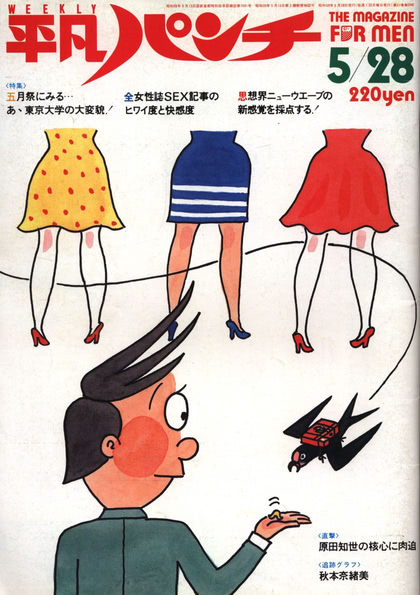
OMC: Nanoka
After lengthy, careful inspection, it’s not true that there are eight different models named Nanoka (菜乃花). That would be nice, but the reality is that she’s got an unusual face, with features that are strongly affected by the perspective effect from different lens focal lengths. Where most models look more attractive when shot with the flatter perspective of a longer lens, Nanoka just turns into a different girl. That’s in addition to the effect of makeup, of course, which also acts to exaggerate or minimize different features. If it weren’t for selfies on her Twitter and Instagram accounts, I suspect fans would have trouble spotting her on the street.
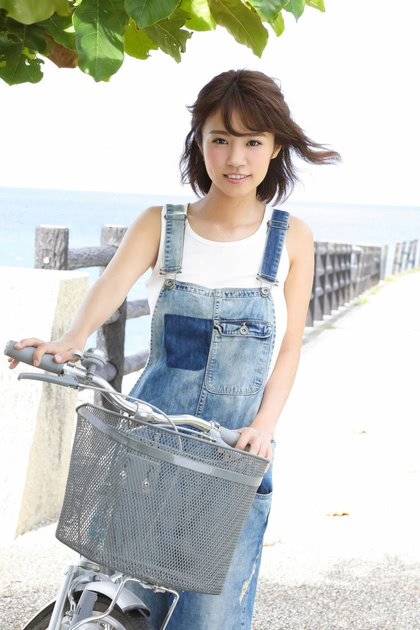
Note that the intersection of “Nanoka” and “Safe For Work” is quite small. Rather similar to the intersection of “Nanoka” and “warm clothing”.
In related news, bigboobsjapan.com (backup site) is back online after being suspended by their previous hosting company, but without their archives. They’re making up for it by posting new stuff quite frequently, but a lot of quality cheesecake was lost. Remember, boys and girls, if your data only exists on Somebody Else’s Servers (sometimes called the “cloud”), it can go away at any time. Only downside is that they’ve switched to a Javascript-only template that not only dynamically loads thumbnails, but doesn’t allow you to right-click to download images; you have to click each thumbnail in turn, download, then press the back button.
Safety first!
Fortunately for them, no one ever robs jewelry stores…